Notebooks and Laptops Buying Overview
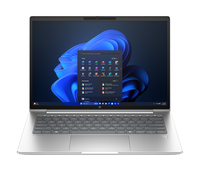
Explore our latest Notebooks and Laptops
1. Usage Requirements
- Students: studying, internet browsing, assignments
- Office users: productivity tools and multitasking
- Gamers: high-speed performance and graphics
- Creators: video editing, programming, and design work
2. Processor (CPU)
The processor controls how efficiently your laptop runs:
- Intel Core i3 / Ryzen 3: Basic computing tasks
- Intel Core i5 / Ryzen 5: Best value for most users
- Intel Core i7 / Ryzen 7: Advanced multitasking and gaming
- Intel Core i9 / Ryzen 9 — Professional workloads and heavy editing
Choosing the latest generation Intel or AMD processor ensures better speed, power efficiency, and battery optimization.
3. Memory (RAM) for Faster Multitasking
RAM determines how smoothly you can run multiple applications:
- 8GB RAM laptop — Good for students and office work
- 16GB RAM laptop — Recommended for multitasking and gaming
- 32GB RAM laptop — Ideal for professional creators and developers
4. Storage Options for Speed
Solid State Drives (SSD) are faster and more reliable than traditional hard drives:
- 256GB SSD — Basic users
- 512GB SSD — Best overall option
- 1TB SSD — Gaming and professional workloads
An SSD laptop provides:
- Faster startup time
- Quick application loading
- Better file transfer speed
- Improved overall performance
5. Graphics Performance
- Integrated graphics: fine for regular activities
- NVIDIA GeForce RTX graphics — Gaming and professional design
- AMD Radeon graphics — High-quality visual performance
Dedicated graphics cards improve gaming frame rates and creative software performance.
6. Screen Size (Display) and Screen Resolution
- 13-inch laptop — Ultra portable
- 14-inch laptop — Best balance of size and portability
- 15.6-inch laptop — Most popular option
- 17-inch laptop — Large display for gaming and editing
For sharper visuals, choose:
- Full HD laptop display
- 2K or 4K resolution laptops
- IPS or OLED display panels
7. Battery Life and Power Efficiency
Long battery life is one of the most important factors for mobile users. The best laptops offer:
- Fast charging support
- Energy-efficient processors
- 6 to 12 hours battery backup
Students and travelers should prioritize battery performance when buying a notebook laptop.
8. Lightweight and Portable Design
Thin and lightweight laptops are easier to carry and ideal for students, business users, and remote workers.
- Slim body design
- Durable aluminum build
- Compact size
- Lightweight chassis
Premium ultrabooks provide portability without sacrificing performance.
9. Laptop Connectivity and Ports
Modern laptops should include:
- USB-C ports
- USB-A ports
- HDMI output
- Wi-Fi 6 or Wi-Fi 7 support
- Bluetooth connectivity
- SD card slot
Good connectivity improves compatibility with external devices and accessories.
Best Laptop Buying Tips
- Buy laptops with SSD storage instead of HDD
- Choose at least 8GB or 16GB RAM
- Compare laptop battery life before purchasing
- Select the latest processor generation
- Read laptop reviews and benchmark scores
- Choose trusted laptop brands for warranty support
- Avoid outdated budget laptops with weak specifications
Choosing Based on Budget
- Best Student Laptop: Students should prioritize portability, battery life, and affordability.
- Best Business Laptop: Business users need strong security, multitasking performance, and reliable keyboards.
- Best Gaming Laptop: Gaming laptops require dedicated graphics cards, fast refresh displays, and advanced cooling systems.
- Best Laptop for Video Editing: Creative professionals should choose laptops with powerful CPUs, dedicated GPUs, color-accurate displays, and large SSD storage.